Orchestrating multiple coding agents in parallel
June 18, 2026
With LLMs improving at a breakneck speed in the past year, my software development workflows have transformed: Instead of focusing on 1-2 tickets at a time, I now comfortably juggle 2-4 in parallel.
But managing different changes in the same codebase feels awkward: One agent could rewrite a file for one ticket, but another agent might need that same file unchanged.
After some experimentation, I landed on this: one Git worktree per task, using cmux as my terminal emulator.
One worktree per task
I love Git worktrees! With it, we can have a separate checkouts of the same codebase, each in its own branch and directory, allowing agents to work in parallel without messing with another. The feature has been in Git for years but recently exploded in popularity thanks to AI.
For each new task, I'd spin up a new worktree with a short zsh function gwta (git worktree add) that branches off the latest main and drops me into a ready-to-run directory. My helper looks something like this:
function gwta() {
  local name="$1"
  local worktree_path="$HOME/dev/worktrees/${name[1,15]}"

  # Branch off the freshly-updated primary branch (main, develop, etc.)
  local primary
  primary=$(git symbolic-ref --short refs/remotes/origin/HEAD)
  primary="${primary#origin/}"
  git fetch origin "$primary:$primary"
  git worktree add --no-track -b "$name" "$worktree_path" "$primary"

  cd "$worktree_path"
  cp "$OLDPWD"/.env* "$worktree_path"/ 2>/dev/null  # carry over local secrets
  [[ -f package.json ]] && npm install              # ready to run
}
First attempt with tmux
If my love for Git worktrees is a 7, then mine for tmux is a 9. I used it for everything, including running Claude Code from my phone, so my first instinct was to have a tmux session per worktree.
This worked great. tmux is a powerful software and endlessly customizable. I added many quality-of-life tweaks to my config, like vim-aware pane navigation, sessions that survived reboots through the resurrect and continuum plugins, and more.
But it had its qualms. tmux requires imperfect workarounds to play nicely with some software, and I wasn't a huge fan of its two-touch keyboard shortcuts.
Running agents in tmux was also clunky. Nothing told me which agent was waiting on input, so I had to cycle through windows to check. tmux is meant to be and shines as a terminal multiplexer, not as an agent manager.
Second attempt with cmux
cmux is a native macOS terminal built for this. It is open source, runs on Ghostty's rendering engine, and is made for running coding agents in parallel.
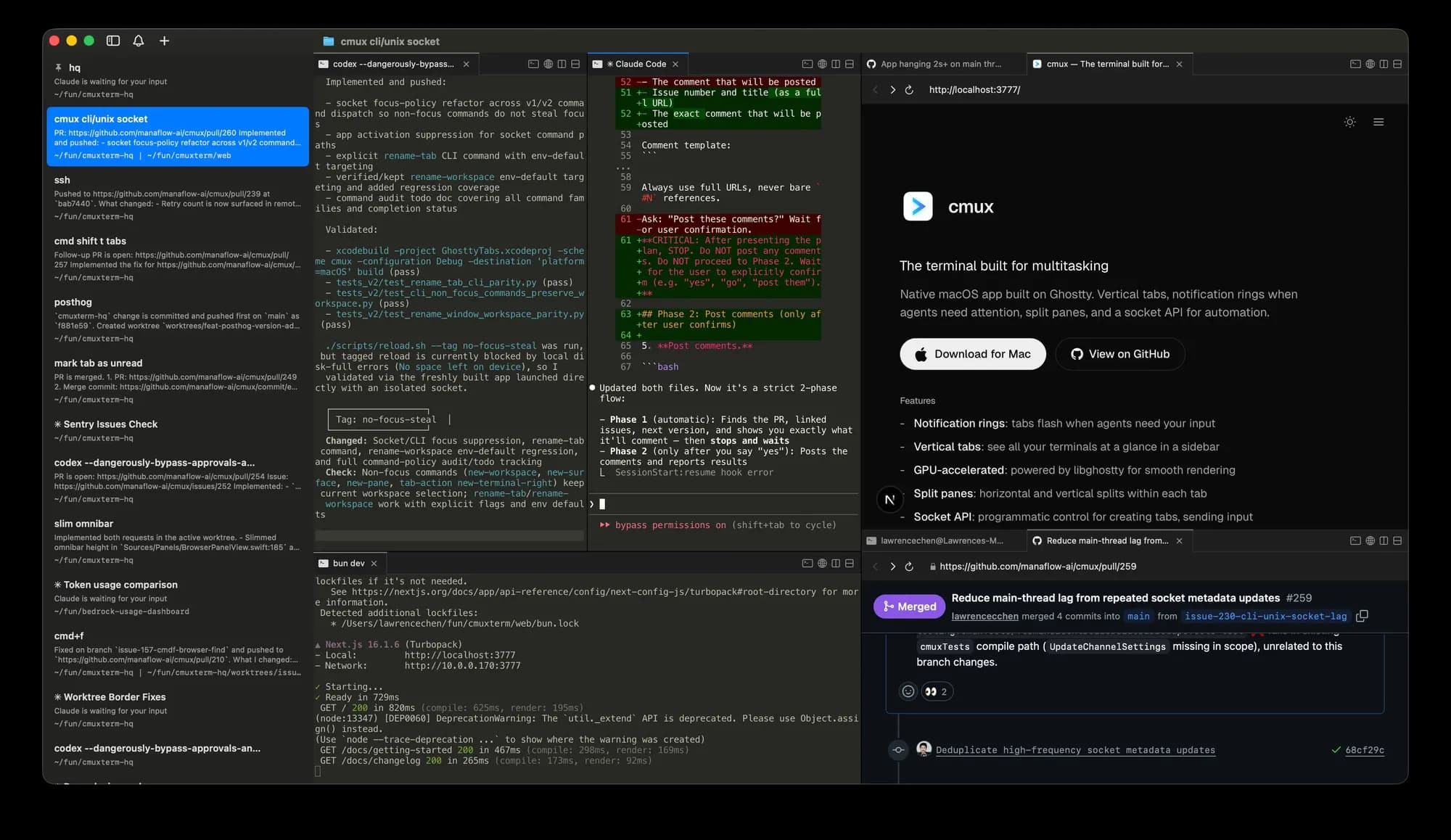
My first favorite thing about it is the sidebar. Each worktree gets a vertical tab showing its branch name, PR status, open ports, and a badge when the agent needs me.
My second favorite thing: it's keyboard-first. There's a Claude Code session waiting for my input? Shift + Command + U, and I'm there. No more wondering where that session is and manually getting there.
Bonuses to cmux: native notifications, a built-in browser for checking the app an agent is building, and session persistence like tmux. With well-thought-out default settings, my config is minimal:
{
  "app": { "minimalMode": true },
  "terminal": { "copyOnSelect": true }
}
I still use gwta to create each worktree, but cmux now gives them a better home.
Final thoughts
With this setup, agentic software development feels like a first-class experience. Worktrees keep each ticket isolated, and cmux keeps the agents organized and a keystroke away.
The blocker now is me. I cap myself at 2-4 tickets because my brain can't often hold more context than that. Like Karpathy said, humans are the bottleneck. But I think that's a good thing! AI can build things faster than ever, but they're still solutions to human problems. Who understands those problems better than us humans?